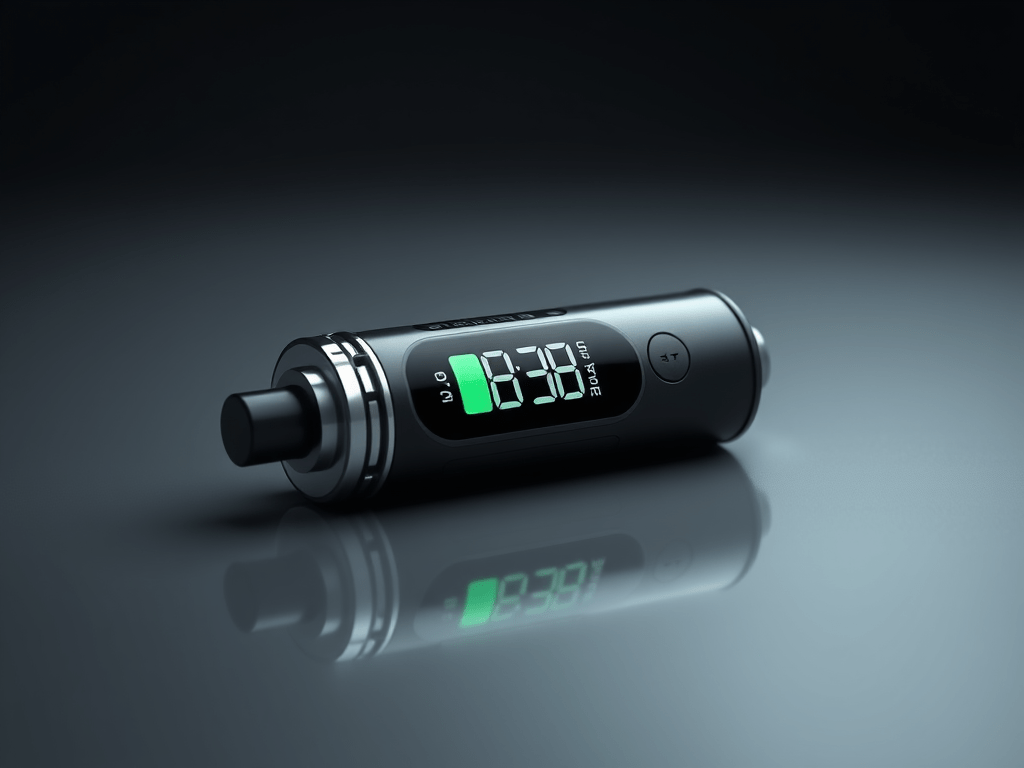
Keeping track of your puff count and battery health is essential for getting the most out of your portable devices. Whether it’s a vape, an e-cigarette, or any other rechargeable gadget, understanding usage patterns helps prevent premature battery wear and ensures consistent performance. Many users rely on built-in counters, displays, or even third-party tracking apps to stay informed. For those who enjoy reliable performance in their devices, options like KangVape Disposables provide a convenient way to monitor usage and maintain steady output throughout the device’s lifespan.
Why It’s Useful
Monitoring puff count and battery health is about more than curiosity—it’s a way to maintain device longevity, consistency, and safety. Every rechargeable device, regardless of brand, has a limited number of charge cycles before the battery begins to degrade.
Extending Device Lifespan
Tracking how many puffs or activations you take each day helps you plan your charging schedule. Frequent overcharging or deep discharging can shorten the lifespan of lithium-ion batteries, which are commonly used in small portable devices. Knowing your usage pattern allows you to charge the battery only when necessary, avoiding strain and overheating.
Ensuring Consistent Performance
Over time, you may notice that your device takes longer to reach full charge or doesn’t hold as much energy as it once did. Keeping an eye on puff counts and battery levels provides insight into when performance starts to decline. Consistent monitoring helps maintain steady vapor production and flavor quality for vaping devices, and stable output for other portable electronics.
Promoting Safety and Awareness
Understanding battery health can also prevent dangerous situations, such as overheating or leaking cells. Devices that are pushed beyond their limits or used with worn-out batteries can become unsafe. By tracking cycles and noticing early signs of decline, users can replace devices before issues arise. For general safety guidelines and battery care tips, resources like Battery University offer reliable technical insights on extending battery life and understanding charge behavior.
Devices with Counters & Displays
Many modern devices come with built-in tools to help you track puff counts, charging cycles, and power output. These features simplify maintenance and help users make informed choices about charging and replacement.
Smart Vapes and Portable Devices
Several brands now include digital screens that display puff count, voltage, and battery percentage. These displays allow users to view real-time performance metrics. Some advanced models even offer temperature control, wattage adjustment, and automatic usage logs.
For example:
- Digital Puff Counters: Show how many puffs have been taken since the last charge or device reset.
- Battery Percentage Displays: Help you monitor energy levels to prevent overuse or deep discharge.
- Cycle Counters: Track how many times a battery has been fully charged, offering an estimate of remaining lifespan.
These features make it easy to keep your device in optimal condition. If your gadget doesn’t include these tools, you can rely on mobile applications or external monitors.
Third-Party Apps and Smart Tools
Some smart accessories and Bluetooth-enabled devices can connect to apps that log performance metrics. These apps allow you to visualize trends, such as average daily use or total charge cycles over time. They also send reminders when it’s time to recharge or replace components.
Popular options include:
- Battery Monitoring Apps: Show real-time voltage, temperature, and estimated capacity.
- Usage Log Apps: Track activations or puffs through motion or Bluetooth sensors.
- Device-Specific Apps: Offer tailored performance metrics for compatible models.
This kind of tracking gives users more control over their routines and helps ensure the device performs at its best throughout its life cycle.
Manual Methods
Even without built-in technology or connected apps, you can still estimate puff count and track battery health manually. While less precise, these techniques are simple, accessible, and effective for everyday users.
Counting Puffs or Activations
If your device doesn’t have a counter, you can estimate usage by counting how many times you activate it in a set period. For example, if you take around 10 activations per hour and typically use the device for 6 hours a day, that’s approximately 60 puffs daily. Over a week, you can estimate 420 activations, giving you a clear sense of your usage rate.
This information helps predict when your device may need charging or when the battery capacity will start to decline.
Monitoring Battery Behavior
Paying attention to how your device behaves can reveal a lot about its health:
- Longer Charging Times: If your device takes longer to charge than before, the battery may be aging.
- Faster Drain: A noticeable drop in battery duration between charges signals declining capacity.
- Heat During Use or Charging: Overheating can indicate that the battery is struggling to maintain efficiency.
Keeping a simple log of these behaviors helps identify patterns and spot problems before they worsen.
Tracking with External Tools
External battery testers and USB meters are inexpensive ways to measure voltage, current, and total energy transferred during charging. They help you determine how efficiently your device charges and whether the battery still holds capacity close to its original specification.
These small tools can be especially useful for users who rely on rechargeable electronics for travel or work, helping them avoid performance surprises mid-journey.
When to Replace Your Device
Even with careful monitoring, all batteries eventually lose capacity. The key is recognizing when it’s time to replace the device. Here are clear signs to look for:
- Reduced Output: If your device no longer produces consistent vapor or power, even after a full charge, the battery may be near the end of its life.
- Decreased Battery Life: A sharp drop in runtime or frequent recharges is a sign the cell is degrading.
- Physical Changes: Swelling, warping, or discoloration indicate internal wear and should prompt immediate replacement.
- Persistent Heat: Continuous warmth during or after charging suggests the battery is struggling to regulate energy.
Replacing an old device before total failure prevents inconvenience and ensures safety.
Battery Maintenance Tips
To maximize performance and lifespan, follow a few universal battery care practices:
- Avoid Full Discharge: Try to keep the battery level between 20% and 80% instead of letting it drain completely.
- Unplug After Charging: Leaving devices plugged in for long periods can cause overheating and long-term degradation.
- Store Properly: If storing for weeks or months, keep the device in a cool, dry place at around 50% charge.
- Clean Contacts: Dust and residue can interfere with performance, so clean connections periodically.
For users who travel frequently or depend on portable gadgets, consistent maintenance ensures a smoother experience and better reliability on the go.
Conclusion
Understanding how to track your puff count and battery health is a small habit that makes a big difference in device performance and longevity. Whether you rely on smart displays, connected apps, or manual logs, monitoring your usage patterns helps ensure a smoother, safer, and more reliable experience. Over time, this awareness saves money and reduces waste by preventing early replacements.
Those who enjoy portable devices, from rechargeable e-cigarettes to compact electronics, benefit from mindful maintenance and smart charging routines. By integrating these habits, you’ll get the most from every charge and puff. For a deeper understanding of how batteries age and how to care for them, check out TechRadar’s guide to battery optimization for practical, everyday tips.





 Vape Chronicle
Leave a comment